Search your project
Find matching words or related material across your project, then open a result in context.
Search and choose a mode
Search looks through everything in your project at once: the text of your PDFs, transcripts of your recordings and the cells of your sheets. Use it when you know roughly what you're looking for but not where it is.
To open it, click Command in the top bar, or press ⌘K on a Mac or Ctrl K elsewhere. Type what you're looking for. Matches from your files and sheets appear under SEARCH, below any matching commands.

Search mode sets how Frisket matches your words:
- Hybrid, the default, finds both exact words and passages that mean something similar. Start here.
- Keyword finds only the exact words. Use it for names, case numbers and quotes, where a near match is no use.
- Semantic finds passages about the same idea even when the words are different. Searching for "fired" can find "terminated" or "let go". Use it when you don't know how a document phrases something.
Semantic and Hybrid need search by meaning to be set up. If it isn't, Hybrid finds keyword matches only, and Semantic finds nothing; Frisket offers Set up semantic search.
Open a result
Results are grouped by sheet. Each one shows where it comes from, a page number or a time in a recording when there is one, and a snippet with the matching words in bold.
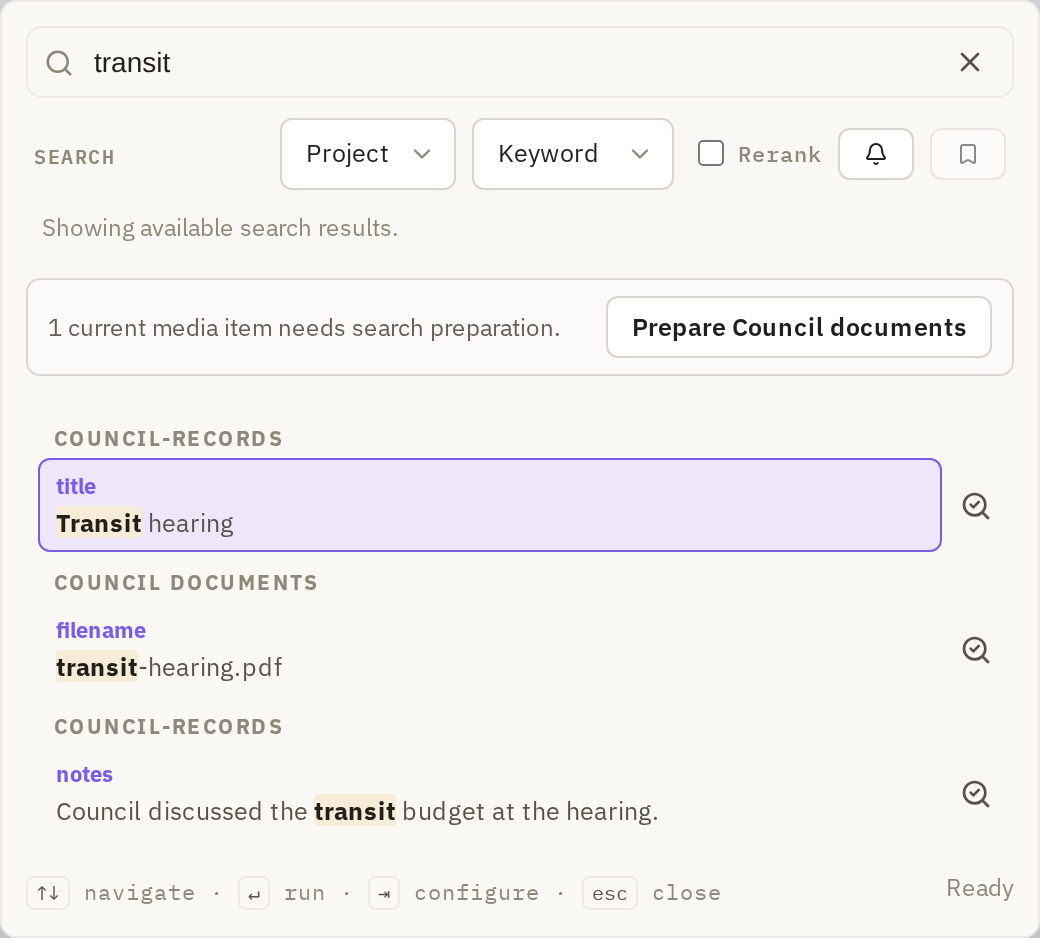
Click a result to open it in context:
- A passage from a PDF opens in Document view at that page.
- A passage from a recording opens at that point in the recording.
- A match in a sheet cell takes you to that cell.
Read the passage around the match before you rely on it. A keyword hit can be a different person with the same name; a semantic hit can be about something nearby rather than the thing you asked.
To find more passages like one you've found, click Find similar beside it. Frisket switches to Semantic and searches for passages that resemble that one. Click Clear similarity anchor to go back to your own search.
When material is missing
Search can only find text Frisket has read. Scans that haven't had OCR, and recordings that haven't been transcribed, are invisible to it. When some files in a sheet aren't ready, Search says how many need preparation and offers a Prepare button for that sheet. If several sheets need it, choose one under Sheet to prepare.
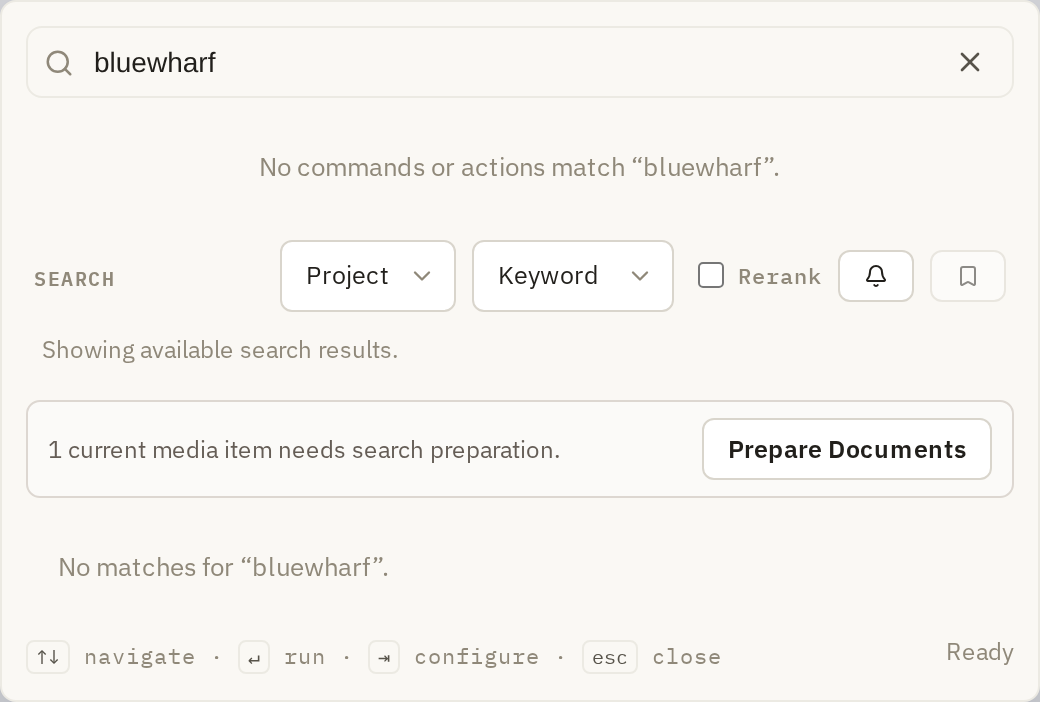
If you search for something you know is there and get "No matches", check for this message before deciding the word isn't in your documents.