Make files searchable
Prepare imported files so their text can be found in project search.
Review the preparation
Before Search or Ask can find anything in a file, Frisket has to get its text:
- PDFs made on a computer usually have their text built in.
- Scans and images need OCR, which reads the text off the page image.
- Recordings and videos need transcribing.
Search by meaning also needs a model that works out what each passage is about.
Preparation does this for a batch of files. You'll see it in two places:
- Make these files searchable opens after you import files that need it.
- In Search, a message says some files need preparation. Click Prepare followed by the sheet's name.
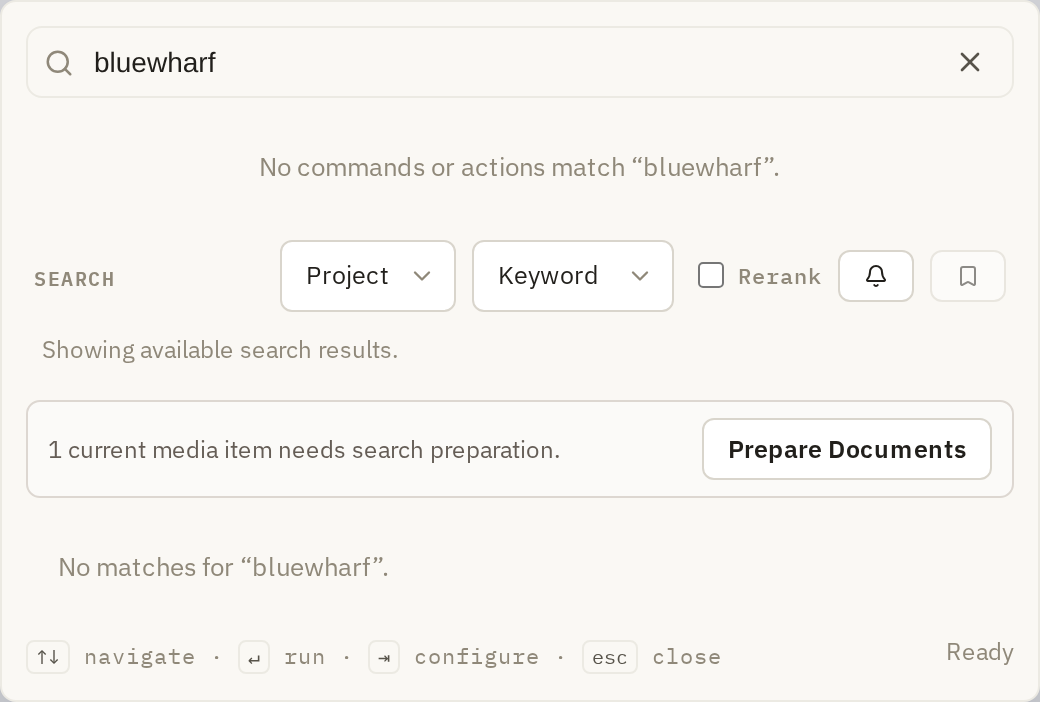
The screen lists what it will do, grouped by kind: PDFs with built-in text to check, files that need OCR, and recordings to transcribe.
Check the built-in text
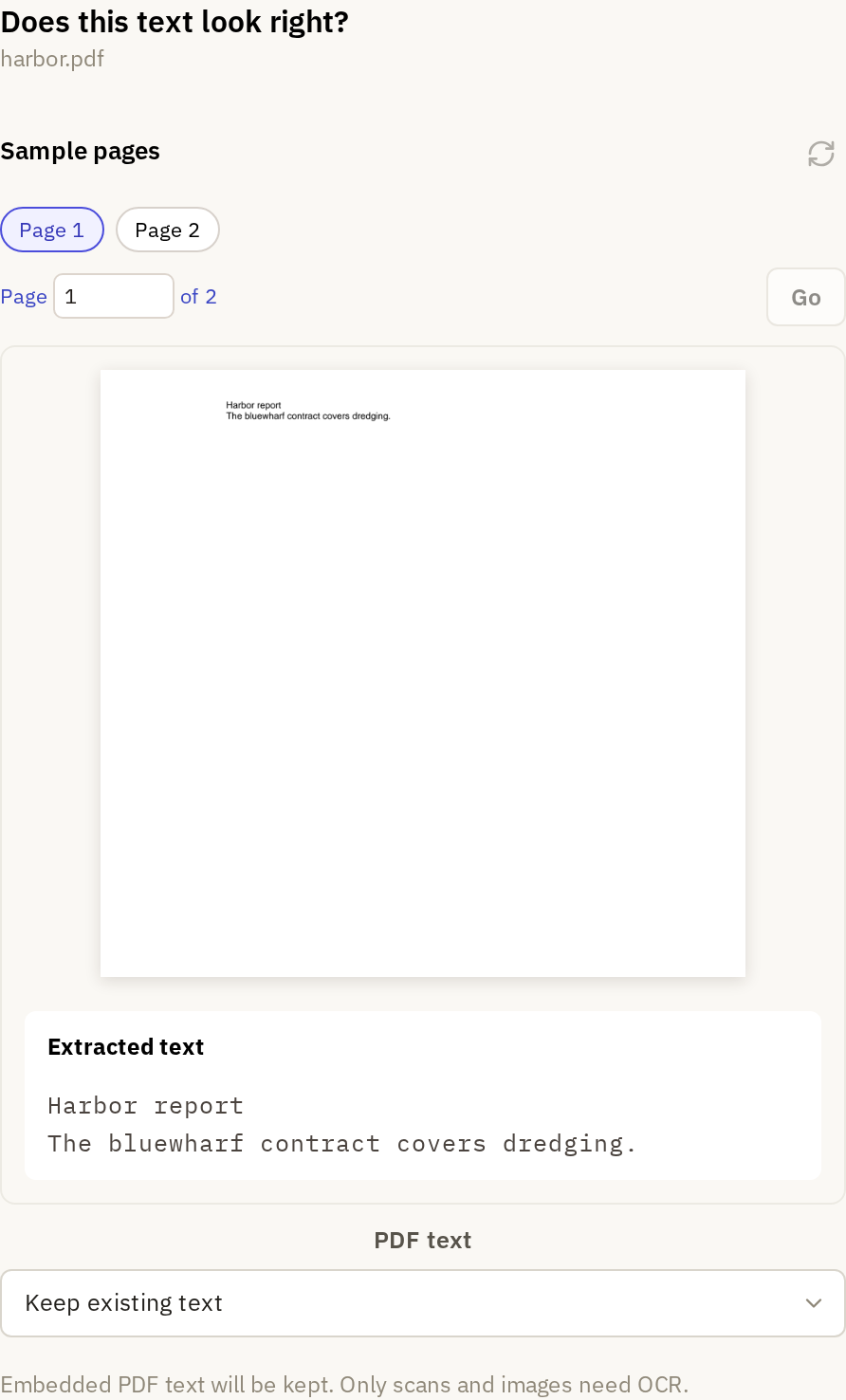
If some PDFs have built-in text, Frisket asks Does this text look right? and shows sample pages beside their text. Read a page or two. If the text matches the page, leave PDF text set to Keep existing text; only scans and images will get OCR. If the text is garbled, missing words or in the wrong order, choose Re-scan PDFs with OCR to read every PDF from the page image instead.
Start preparation
Under Downloads, Frisket lists the models it needs that aren't installed yet, and their sizes:
- a model to read scans and images, if any need OCR
- a model to transcribe recordings, if there are any
- a model for search by meaning
The first two are required for those files. Search by meaning is optional and ticked by default. Clear it if keyword search is enough or you don't want the download. These models run where Frisket runs.
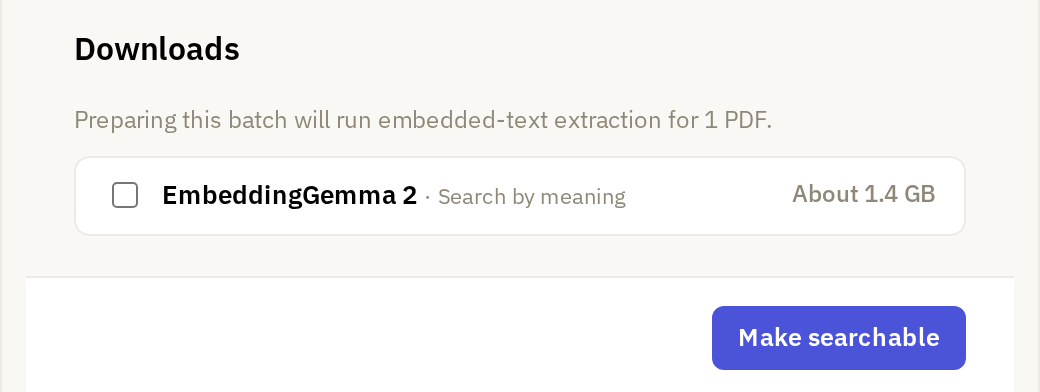
Click Make searchable, or Download and make searchable if anything needs downloading. Preparation runs in the background while you keep working. While it's running, Search shows View Jobs instead of Prepare.
Check the result
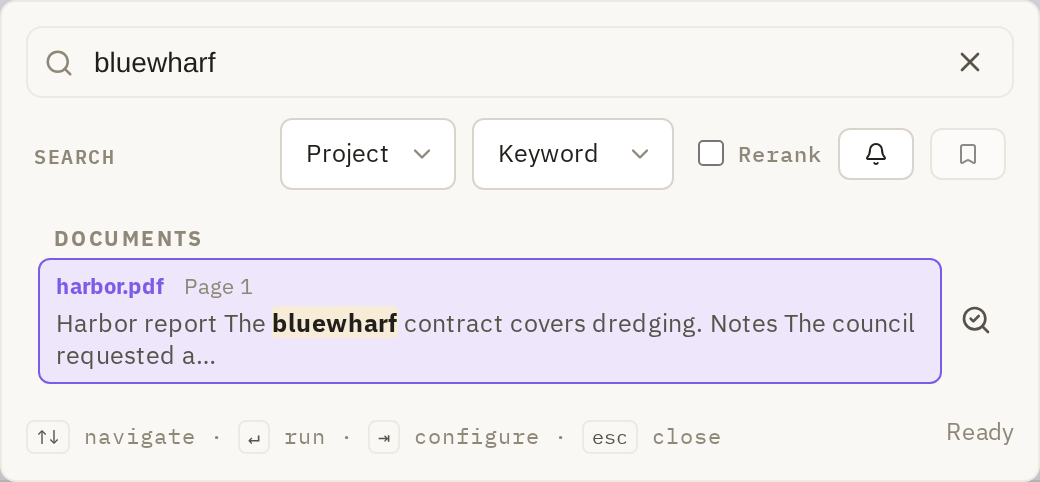
When preparation finishes, search for a word you know is in one of the files. Open the result and check that it comes from the file and page you expected.
Set up search by meaning later
If you skipped search by meaning, you can add it at any time. In Search, click Set up semantic search. Frisket shows the model and its download size; click Download and set up. Keyword search keeps working while it sets up.