Engines and models
An action is the task you ask Frisket to do. The engine is what does it: a program that runs with Frisket, or a model at a hosted provider.
Listen where the words differ
| Source | faster_whisper · base | MAI Transcribe 2 |
|---|---|---|
| Policy Committee · opening 30 seconds | She's out there today | She's out ill today |
These are actual outputs for the same opening 30 seconds. The engines disagree on this phrase. Listen to that passage before using or correcting it.
Choose within the action
Many actions can be done more than one way. OCR can use RapidOCR, Tesseract or a vision model; Extract fields can use dozens of models. The choice is called the engine. Engines differ in three ways that matter:
- Quality. How well it does on your material. The only way to know is to try it on a few rows.
- Where your data goes. Some engines run where Frisket runs. Others send your documents to a hosted provider.
- Cost. Engines that run with Frisket cost nothing per use. Hosted ones are charged by the provider.
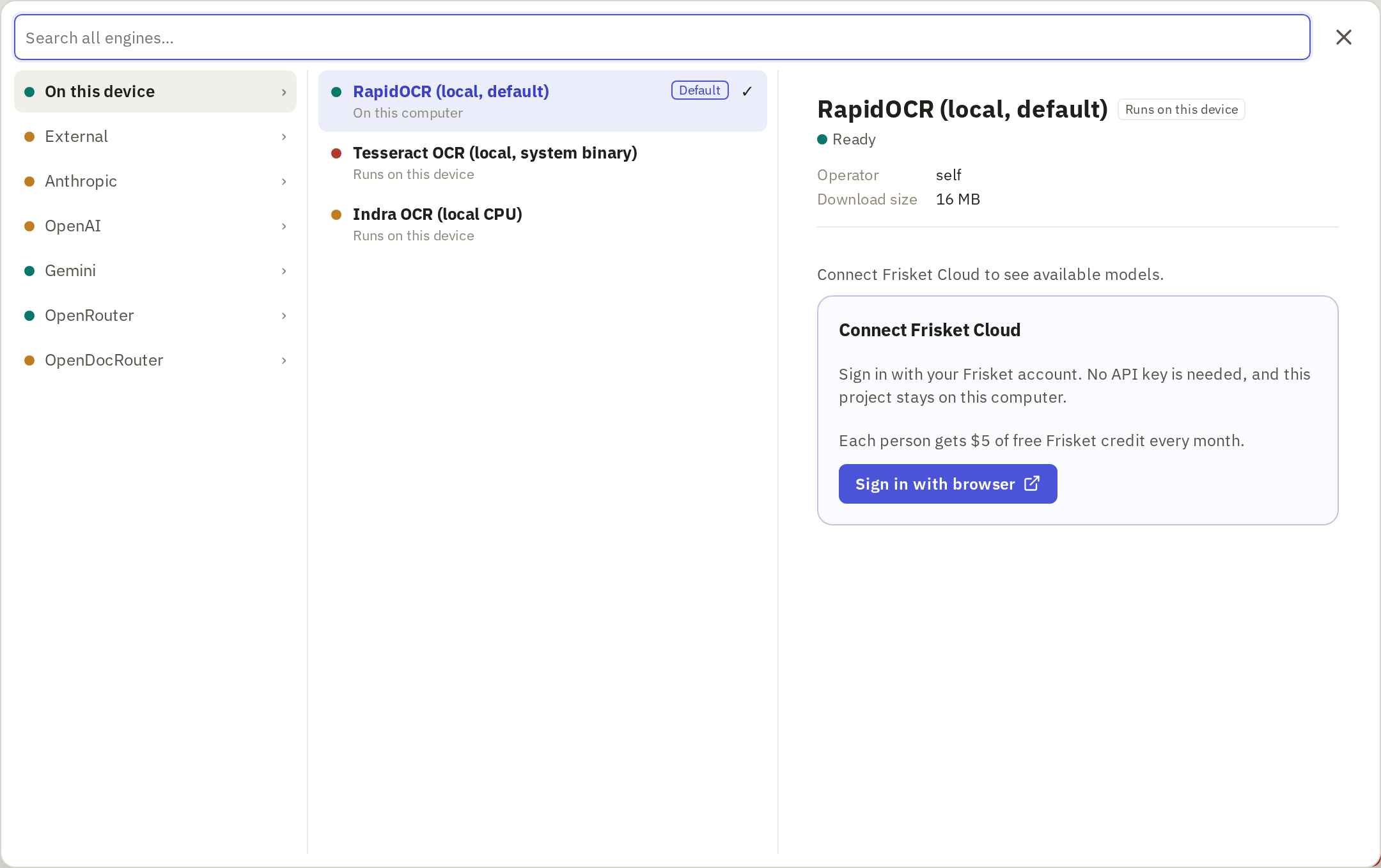
To choose, click the engine box in the action's panel. The picker groups engines by where they run. Click one to see its details: where it runs, what it needs, and what it costs.
Set up an unavailable choice
An engine marked Setup needed needs something before it can run. Its details say what:
- A model download, for engines that run with Frisket. Click Download and set up or Download model, wait for it to finish, then click Recheck.
- An API key, for a hosted provider. Get one from the provider's website, then add it in Settings › AI Providers.
- Frisket Cloud, as an alternative to your own keys. Click Sign in with browser under Connect Frisket Cloud. Cloud gives you access to hosted models without setting up keys, with some free credit each month.
Check what leaves your device
Each engine is labelled with where it runs:
- Runs on this device: nothing leaves the machine running Frisket.
- Runs on your infrastructure: a separate server your organization runs.
- Sends data to a named provider, or External provider: your input goes to an outside company, such as Anthropic, OpenAI or Google.
If your documents are confidential, or you've promised a source they won't leave your control, choose an engine that runs with Frisket, and check the label before every run with a new engine.
Try the same source
Before running an engine on everything, try it on a few rows and check the results against the source. When comparing engines, use the same rows and settings for each, so the engine is the only difference.
Every run shows an estimated cost first. Runs up to your approval limit go ahead without another prompt; above it, Frisket asks you to confirm. Set the limit under Settings › Personal › Profile, in Cost pre-approval amount (USD).