Choose an approach · OCR
Which OCR engine should you use?
Use the PDF's own text if it's good. If it isn't, start with a local engine and try a hosted one on the pages it gets wrong.
The options
| The PDF's own text | An engine that runs with Frisket | A hosted engine | |
|---|---|---|---|
| Engines | None needed | RapidOCR (the default), Tesseract, Indra OCR | Vision models from Anthropic, OpenAI, Gemini and others |
| Where the page goes | Nowhere | Stays where Frisket runs: your computer, with Frisket Desktop | Sent to the provider, directly or through Frisket Cloud |
| Before the first run | Nothing | A one-time model download (16 MB for RapidOCR) | An API key for the provider, or Frisket Cloud sign-in where it offers the engine |
| Try it for | PDFs made on a computer | Clean scans of typed pages | Pages the local engine gets wrong |
Where to choose the engine
Click the engine box, either at OCR engine on the import's Check text step or in the OCR action. The picker groups engines by where they run. On this device lists the local ones. The provider groups, such as Anthropic and Gemini, are hosted.
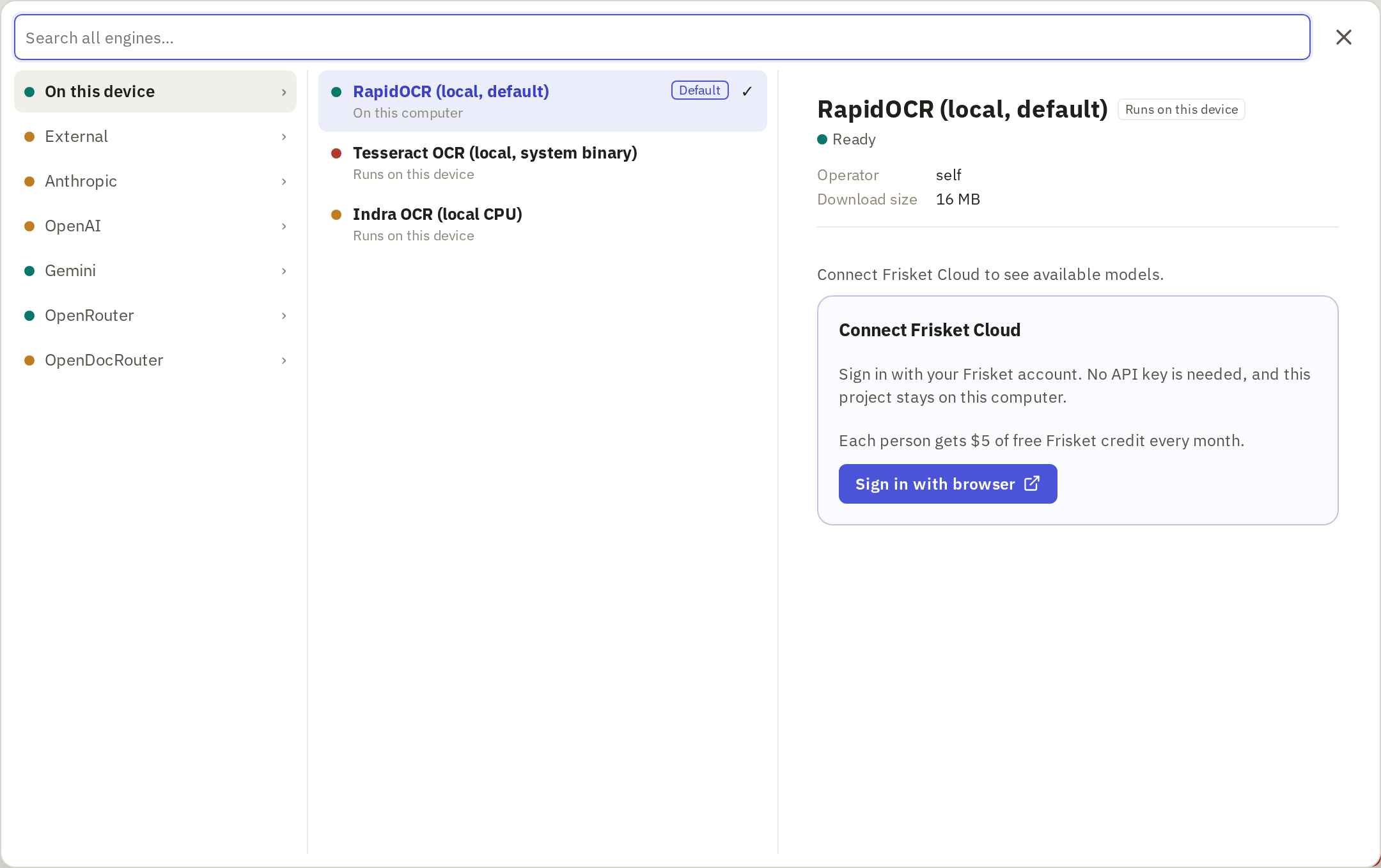
Click an engine to see where it runs and what it needs. An orange dot means it needs setting up. For a local engine, click Download and set up. For a hosted engine, add the provider's API key, or sign in to Frisket Cloud and use an engine it offers.
Test it on a page
Pick a page with names and numbers on it, and a bad one if you have it: a faint scan, a table or a stamp. Then:
- During import, click OCR preview on Check text and read the text beside the page.
- After import, on the Media tab click OCR Compare to run two or more engines on the same page side by side.
Look for wrong characters in names and numbers, lines in the wrong order, and text from tables run together. If the local engine gets those right, use it for the batch.
Settings
In the OCR action, choose the PDF or image column in Document, then the engine. PDF render resolution (DPI) is 200 by default; raise it if small print comes out wrong. Text result names the column the text is written to.
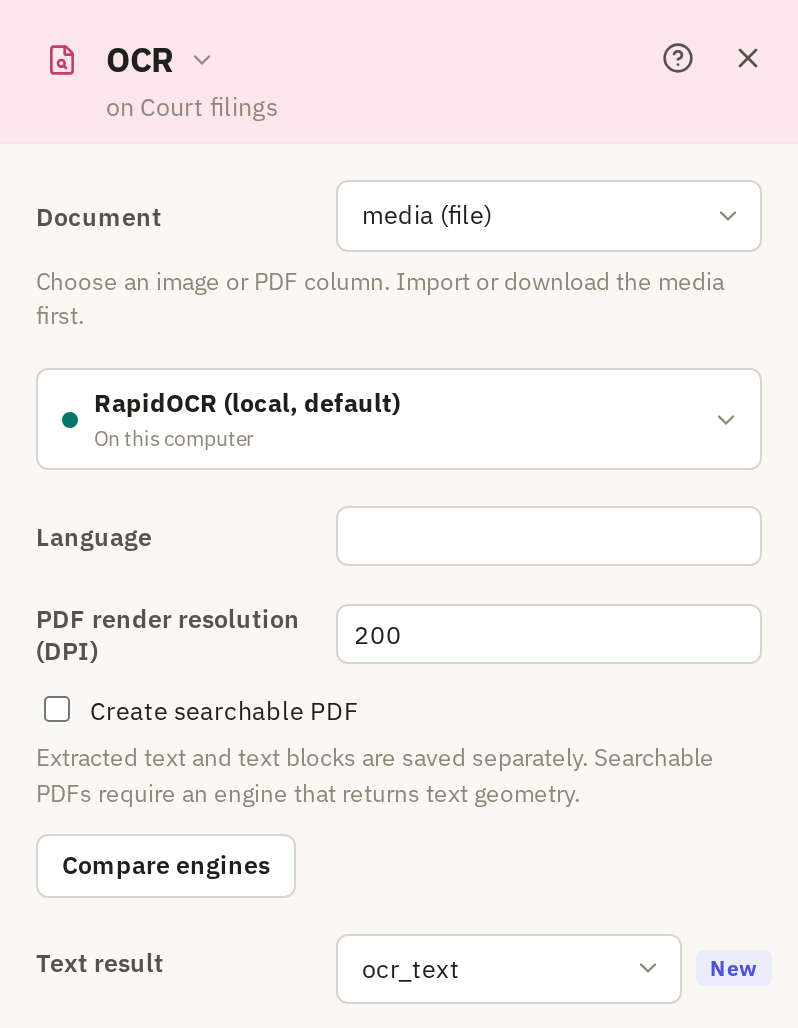
Compare engines opens OCR Compare on the same column.
Where to start
| If… | Do this |
|---|---|
| The text layer matches the page | Use it. Choose None under Apply OCR to. |
| The text is empty or garbled | Try RapidOCR on a sample page. |
| RapidOCR mangles names, numbers or tables | Compare a hosted engine on the same page. |
| The files can't be sent to a provider | Stay with an engine in On this device and check more pages by eye. |