Check results against their sources
Inspect saved results, record human decisions, or compare another approach on the same sample.
Choose what to check
An action that reads documents or recordings will get some things wrong, and wrong answers look just like right ones. Before you rely on a column an action made, check it. Frisket gives you three ways, for different situations:
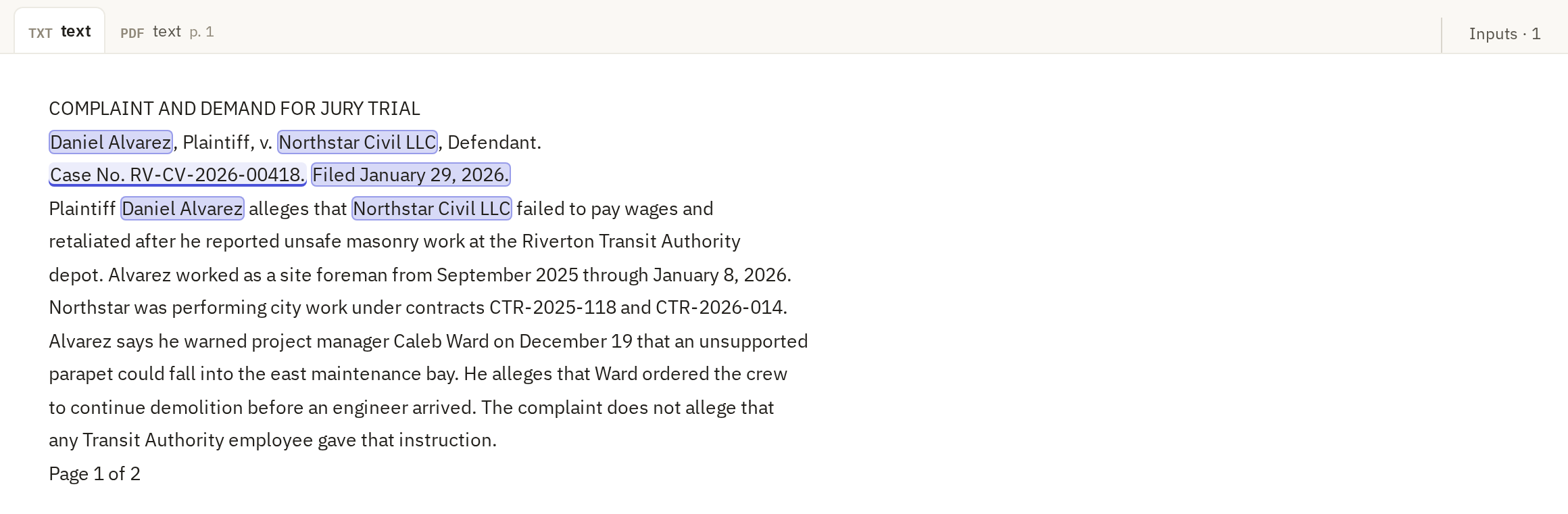
- Review shows you each value beside the passage it came from, and you mark it right or wrong. Use it on your own material, when you don't already know the answers.
- Compare runs two or more versions of an action side by side on the same rows: different models, different instructions. Use it before a big run, to choose the settings.
- Expected answers checks an action's output against answers you already have, such as a spreadsheet someone filled in by hand. Use it when you have that answer key; it scores every row automatically.
Read the source before deciding
Whichever you use, the test is the same: does the source actually say this? Read the passage, not just the value. Check names letter by letter, numbers digit by digit, and whether a date is the one you asked for or a different date in the same document.
Review and Judge results
Judge results, on the Analyze tab, asks a second model to grade a column against rules you write, and records a verdict and a one-sentence reason for each row. It's quicker than reviewing by hand across thousands of rows, but it's another model's opinion, not a check. Use it to find rows worth a closer look, and review a sample of its verdicts yourself before trusting it.