Use skills with Ask
Save reusable instructions for Ask and choose which enabled skills to use during an investigation.
Create or edit a skill in Settings
A skill is a set of written instructions that Ask can follow, such as how your newsroom spells names, which sources count as official, or the steps for checking a campaign finance filing. You write them once, and Ask can use them when it runs actions for you. Skills are text only: they can't run code or add new tools.
To manage skills, open Settings and choose Skills. Where it is depends on how you use Frisket:
- In Frisket Desktop, skills are under Personal, and they're yours.
- In a hosted Frisket organization, skills are under Organization and shared with everyone in it. Only an organization admin can add or change them.
Then:
- Click New skill, write the instructions in the SKILL.md editor, and click Save.
- To use a skill file you already have, click Upload SKILL.md.
- To change one, select it under Saved skills, edit it and click Save.
- Disable keeps a skill but stops Ask using it. Enable turns it back on.
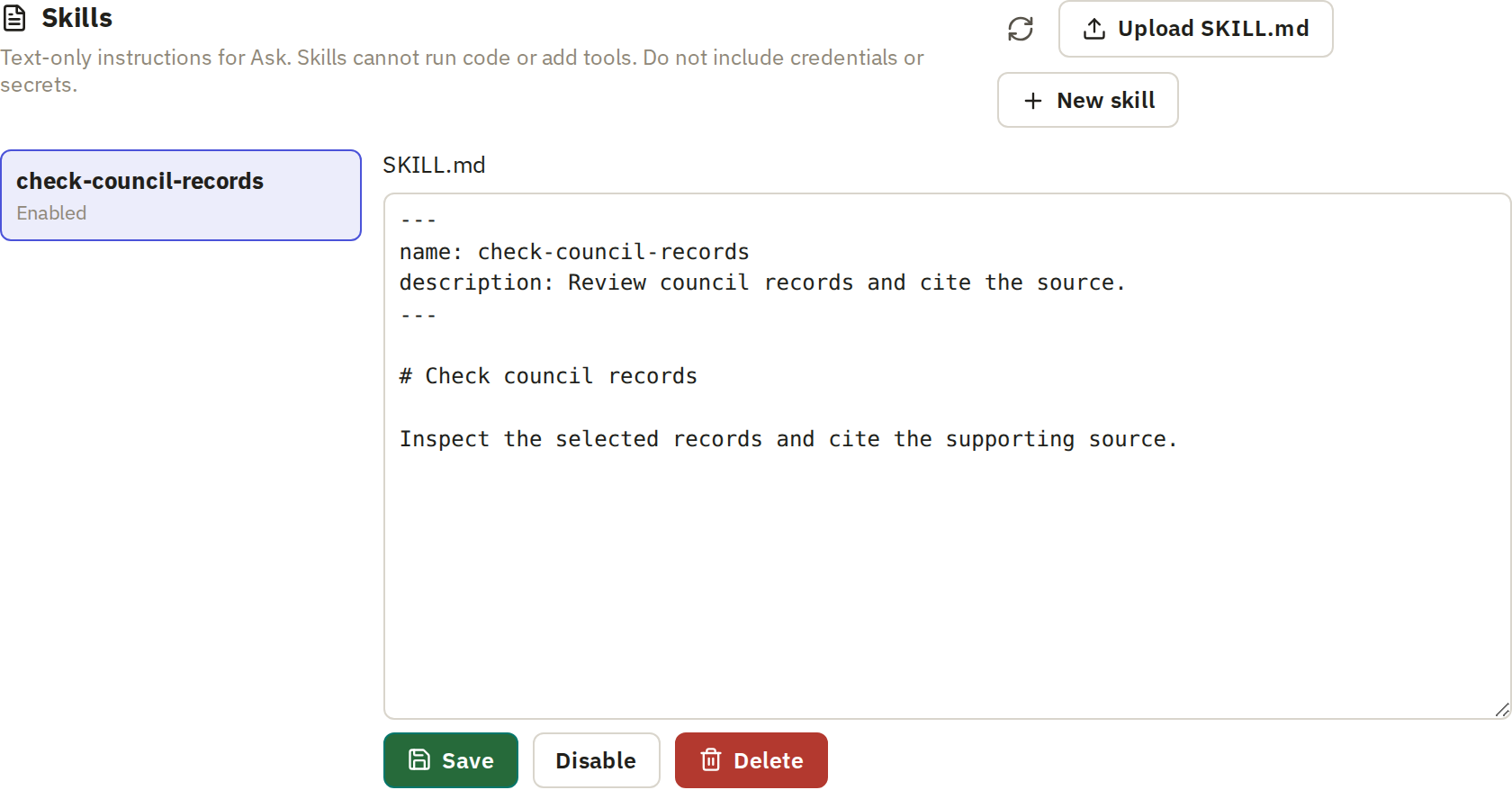
Write a skill as you'd brief a colleague: what the task is, what to do in order, and what to watch for. Be specific. "Check names carefully" gives Ask nothing to act on; "Spell officials' names as on the city council roster" does.
Review a skill drafted in Ask
Ask can draft a skill for you from a conversation. When you've worked out how to do a task with Ask, ask it to save the method as a skill. It shows a New skill draft card.
Open the draft and read Complete instructions before you save it. Ask's draft describes what happened in that conversation, which may not be what you want every time. Remove details specific to that one task, and correct anything it got wrong. Then save it.
Choose skills for an investigation
Ask uses skills when it runs actions. In Ask, click +, turn on Run actions, and under Skills choose which ones it may use. All enabled skills are selected to start with.