Export sheets
Download one or more sheets as CSV or an Excel workbook.
Choose a format and sheets
Export copies your sheets out of Frisket, to share them, publish them or work on them in another tool. The originals stay in your project.
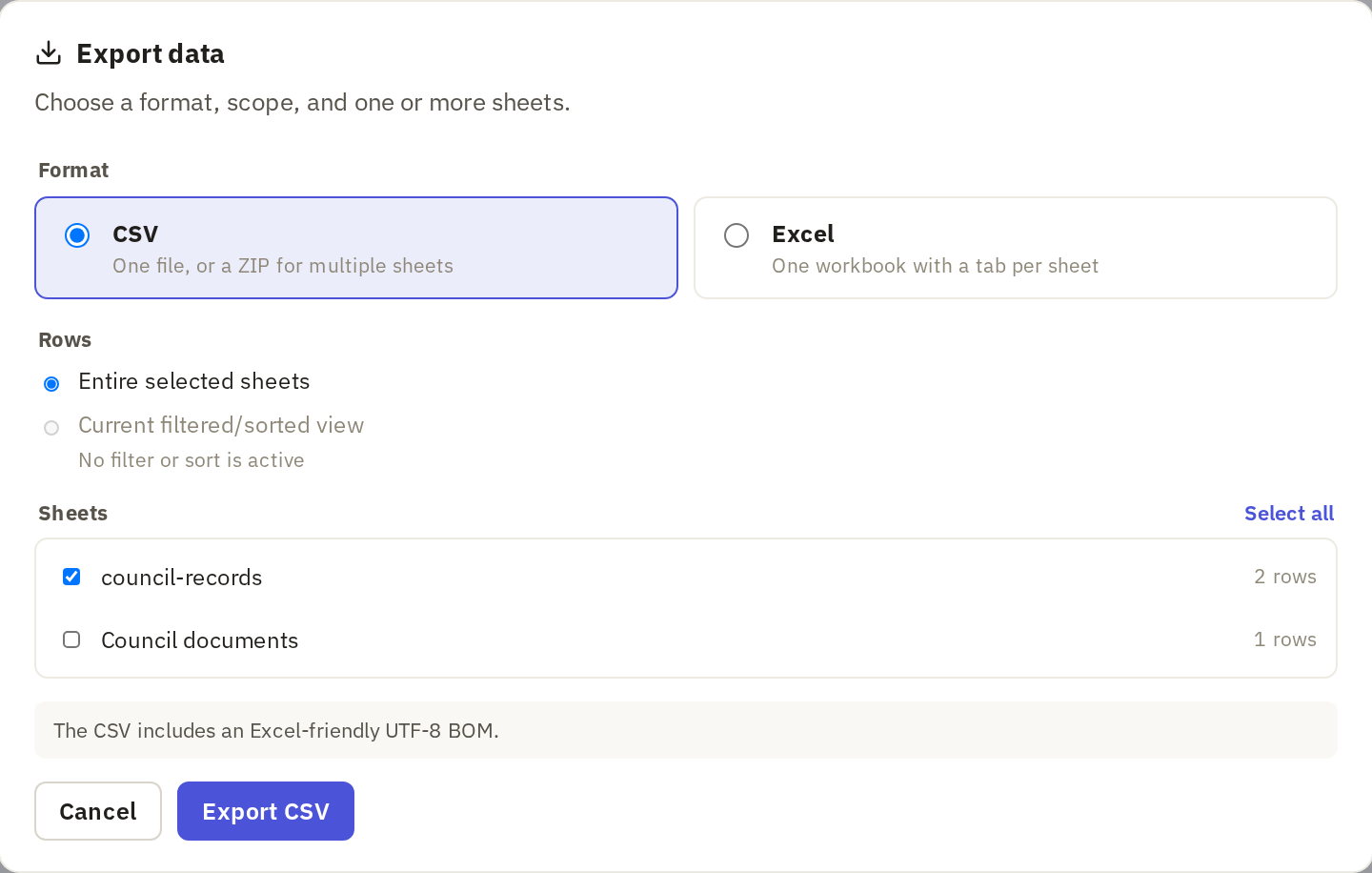
On the Data tab, click Export data.

The same dialog is in the menu under your project's name, at Export data › CSV or Excel.
Choose a Format:
- CSV works with almost anything: spreadsheets, databases, code. Each sheet becomes one file; several sheets come as a ZIP. Accented letters show correctly in Excel, but Excel may still drop leading zeros and reformat dates when it opens a CSV. Send Excel users the Excel format instead.
- Excel puts the sheets you choose into one workbook, a tab per sheet. Choose it when the people you're sending to work in Excel.
Under Sheets, tick the sheets to export.
Choose rows
Under Rows:
- Entire selected sheets exports every row.
- Current filtered/sorted view exports only the rows you can see, in the order you see them. Use it to share a subset, such as only the filings from one court. It's available when only the sheet you're looking at is selected and it has a filter or sort.
Click the export button. Its label says what you'll get, such as Export CSV.
A column of files exports as several columns describing each file, such as its name and size, not the files themselves. Citations aren't exported. Keep the project if you'll need to check where a value came from.
Use another export
- Google Sheets sends sheets to a new or existing Google spreadsheet, using a Google account you connect. It can create or replace tabs in the spreadsheet, so Frisket asks you to type confirm first.
- Tables as ZIP is for columns that hold structured data, such as a list of items for each row. It turns one of those columns into its own tables, one row per item, in a ZIP of CSV files.