Choose an approach · Extract fields
Extract from text or from the PDF?
Extract from the text column when it holds what you need. Send the PDF itself when the answer depends on how the page looks.
The options
| Text column | PDF column | |
|---|---|---|
| The model reads | The text from import or OCR | The pages themselves |
| Citations | Yes, so you can check each value in Review | No |
| Models | Any extraction model | OpenAI and Anthropic models that accept PDFs |
| Use it when | The facts are in the running text | Tables, forms, checkboxes, stamps or columns carry the facts |
Where to choose
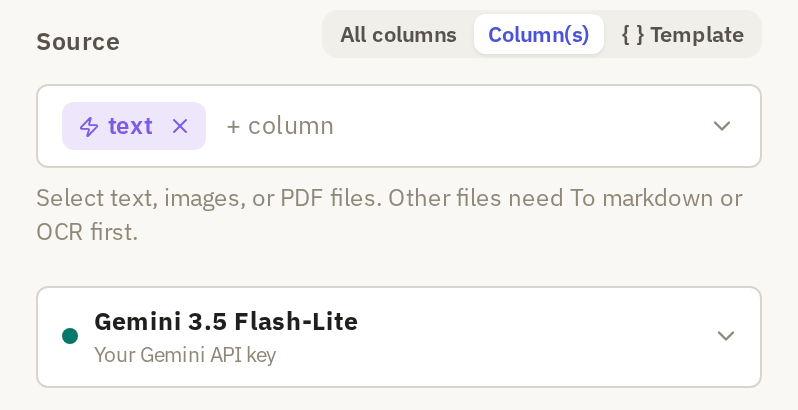
In Extract fields, under Source, click Column(s) and pick the column: the text column, or the file column holding the PDFs.
PDF input doesn't support citations. If Require citations is on, turn it off to continue. A model that can't read PDFs directly shows "This choice does not support direct PDF input"; choose an OpenAI or Anthropic model instead.
Check the text first
Open a few rows in the text column and compare them with the PDFs. If a field you need is missing or scrambled in the text, the model can't extract it from there. Either fix the text with OCR or try the PDF column.
To compare the two, select the same few rows and click Preview once with each source. Check the same fields against the page each time.
Where to start
| If… | Do this |
|---|---|
| Names, dates and amounts read correctly in the text | Extract from the text and check the citations. |
| A field depends on a table, form or column layout | Try the PDF column on the same rows. |
| A field is missing from the text | Run OCR, or try the PDF column. |
| You need citations for every value | Use the text column. |