Split PDFs support
Tackling big PDFs one chunk at a time
When granting a FOI request, a favorite approach is to bundle all of the PDFs into one giant packet.
For example, this request for Immigrant Health Services Corps (IHSC) Mortality Reviews comes back with a 196-page PDF that is a dozen or so individual reports one after the other.
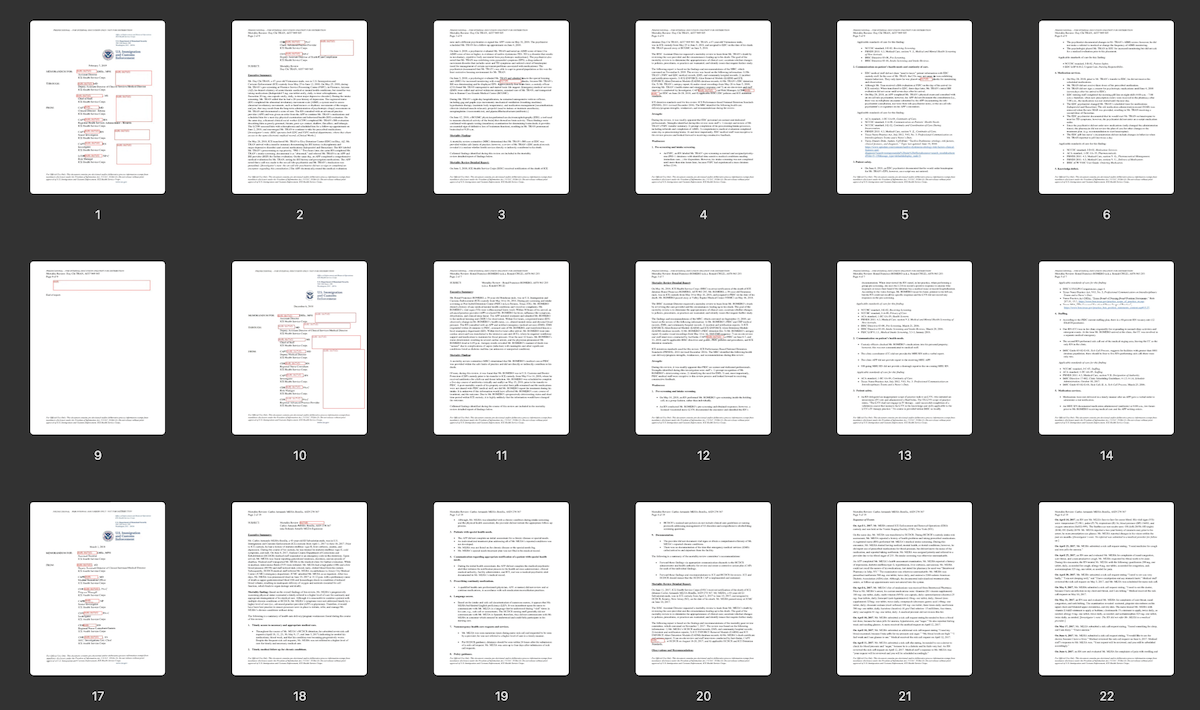
In Frisket, you could previously only import this document as either a single giant PDF or 196 single pages. So it was time for a new feature: splitting PDFs.
Using Natural PDF you can divide a document (or portions of a document) based on text, but I think we needed to go a bit further. What can we accomplish with an actual graphical interface?
I knocked around some ideas with Codex about what could be possible from an implementation standpoint, then went to Claude Design to spec out the user interface.
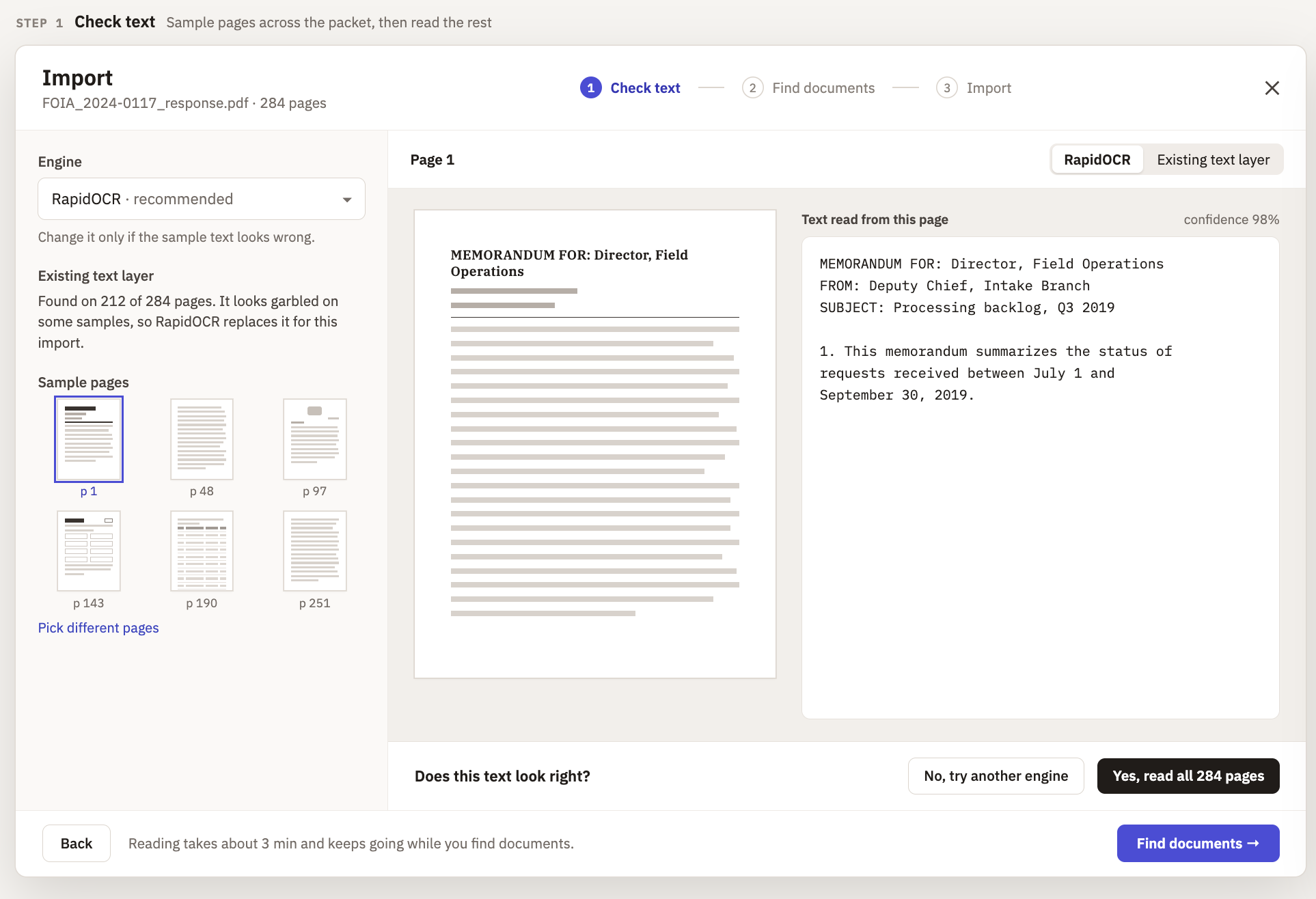
Since Government-issued PDFs are often scans that don't come with text or have an error-ridden text layer, the first step was designed around confirming the quality of the text in the PDF and/or whether it needed OCR.
The default engine for text recognition is RapidOCR – it's not perfect but it is super, super quick. If can give it a test, check other engines, etc, on this first page.
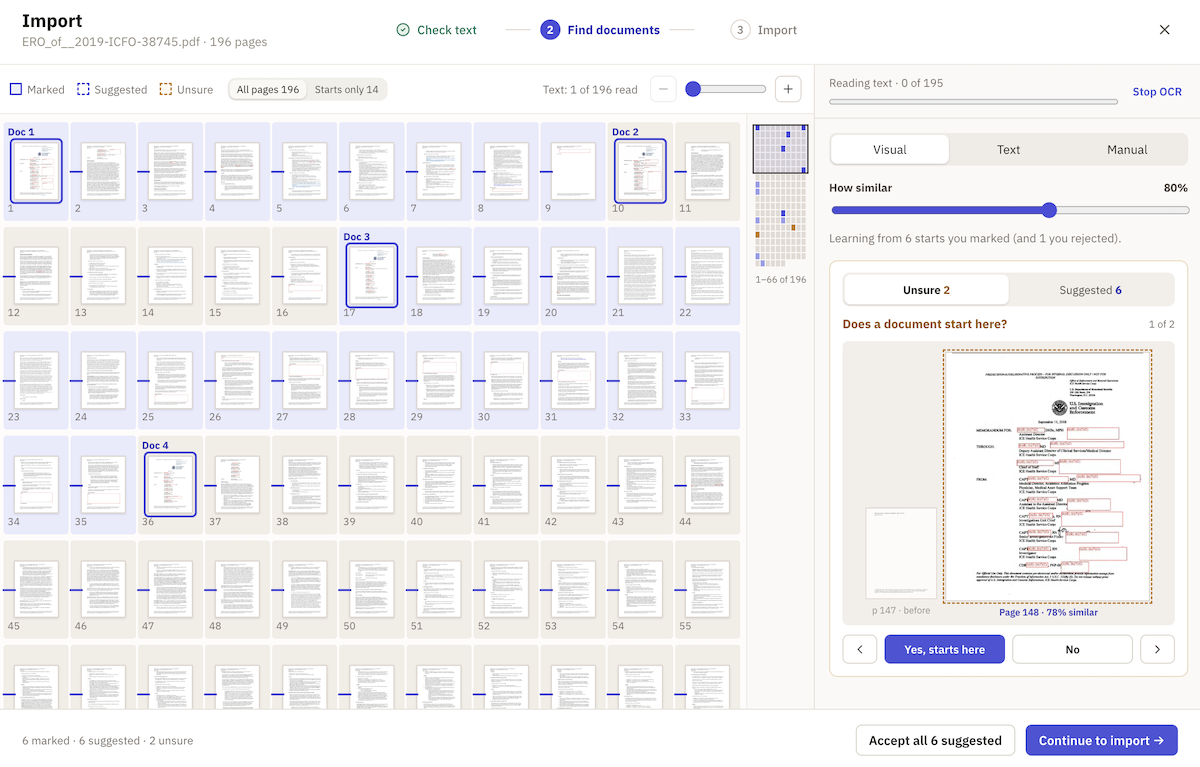
Once you've applied or skipped OCR you're shuffled on to the grid view to pick "start" pages.
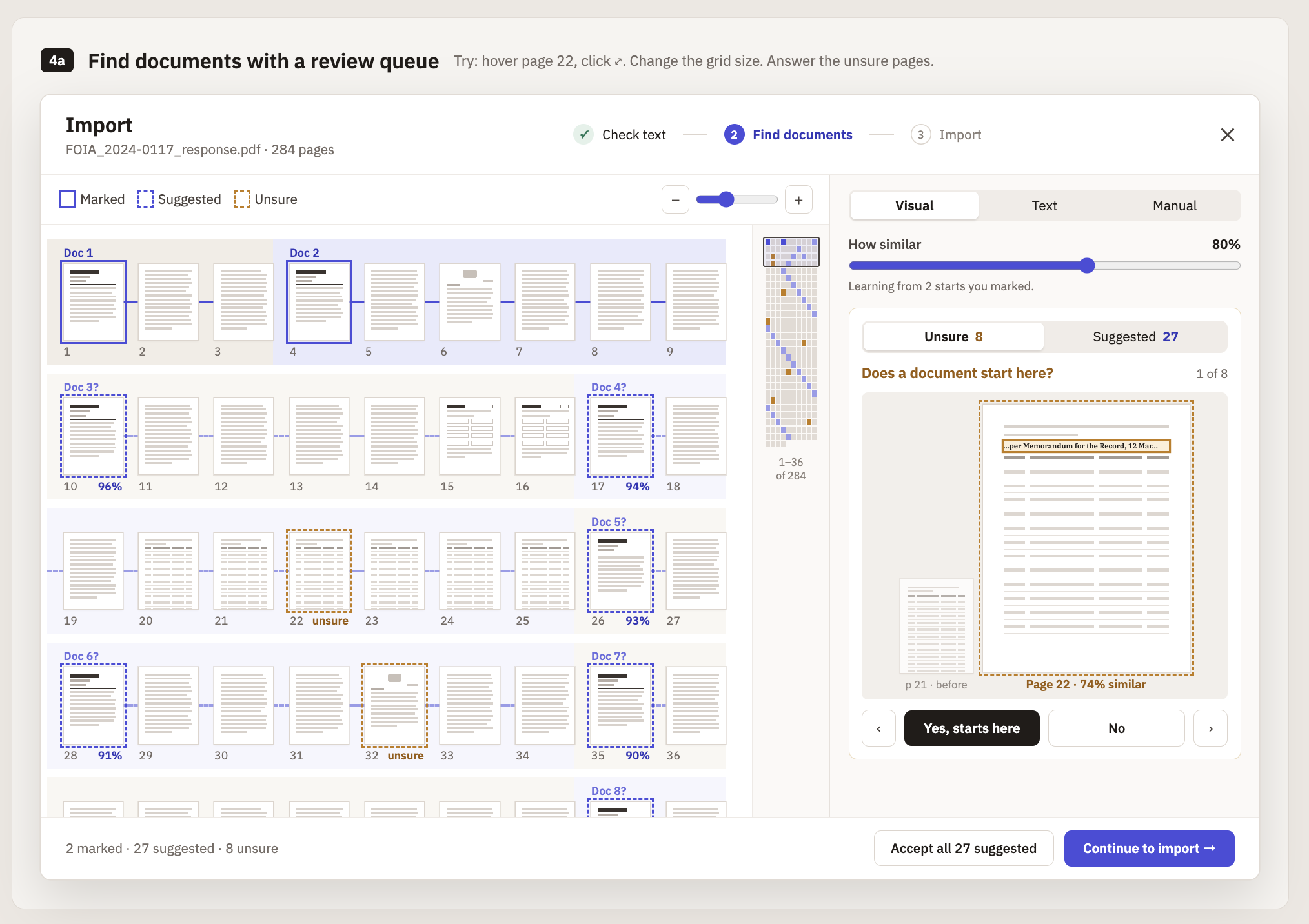
The grid gives you an overview of what your document set looks like, what's connected to what, and allows you to quickly select PDF start pages if they're visually distinct enough.
The right-hand panel provides a few options for splitting. Splitting on text like a common header is an easy one, but the more exciting approach uses a perceptual hashing algorithm to find 1) pages that look like your existing starts and 2) boundary cases that help define the search more clearly. This saves you from missing start pages that are buried deep inside a document set.
A few clicks, an import, and you're all set! This is one feature where I was impressed at how quickly and easily it all came together.
How'd it do with the ERO document above?
There was no text layer on the document, so we start by using RapidOCR to extract the (non-redacted) text...
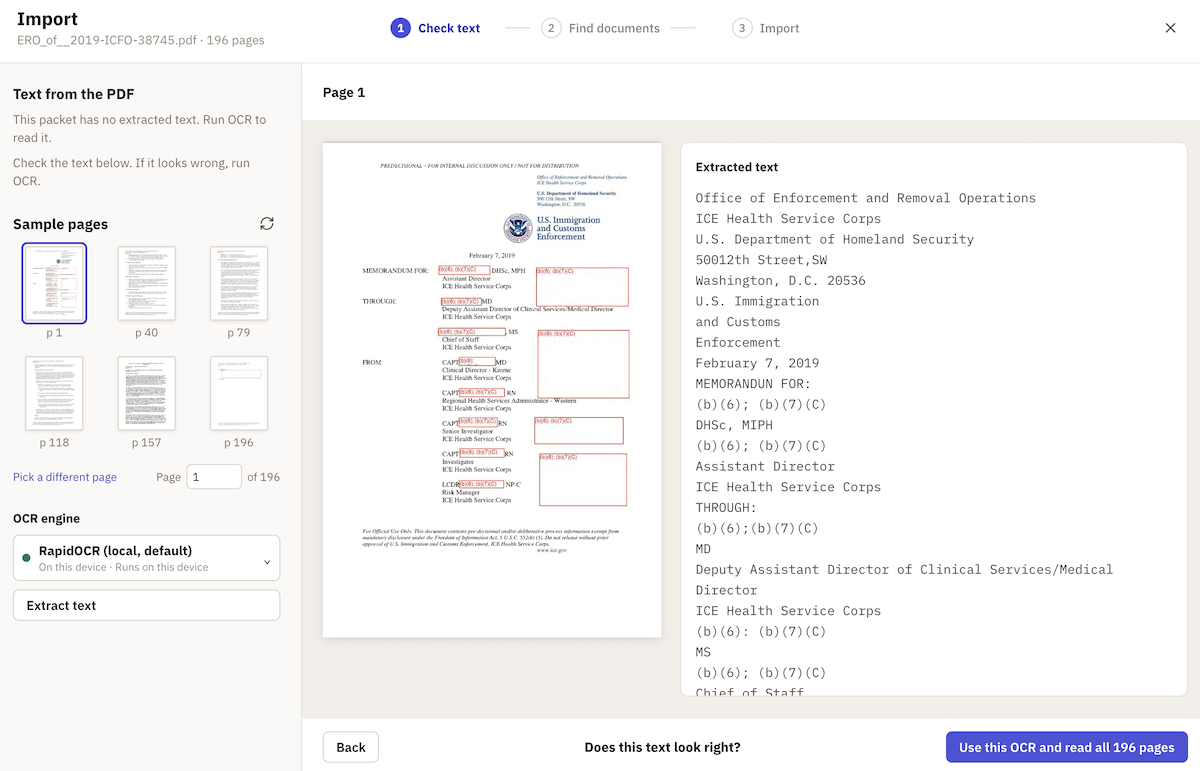
...the visual matches on the grid were pitch-perfect...
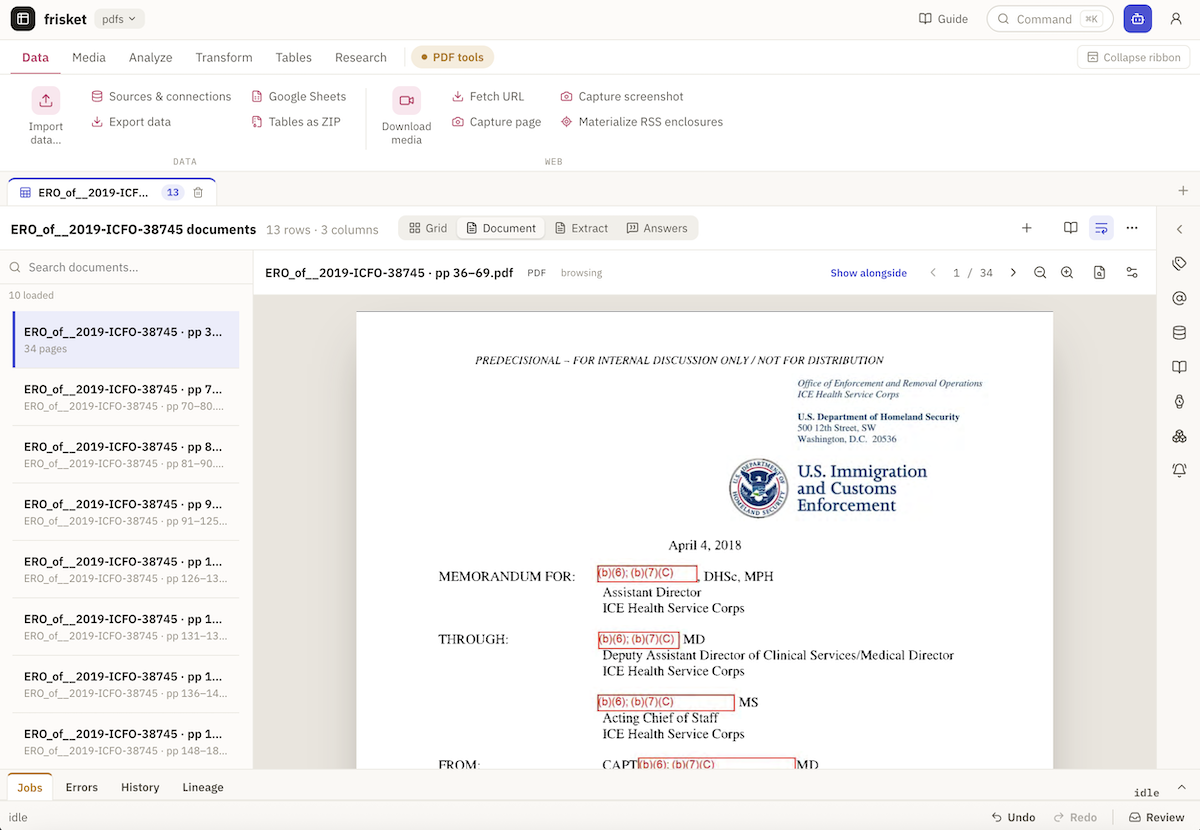
...and we ended up with a completed import of thirteen PDFs!
Easy peasy.
If you'd like to try it yourself, grab the PDF from MuckRock and give Frisket a test-drive.